Linux Basics
Linux Basics
Reasons to learn Linux to learn Docker:
- Docker has its foundations built on top of basic linux concepts, so some knowledge of the basic linux commands is needed to be productive and troubleshoot issues easily.
- most tutorials online are based on linux commands.
- Everybody should know some Linux but you don't need to write a book on it.
Linux Distributions (distros)
Linux distributions also called Linux distros. Linux is an open source software and for this reason many individuals and communities have created their own version of linux called linux distributions each of these distributions is made to fit specialized needs like running servers, desktop, computers, mobile phones, and so on.
Pupular Linux DIstros:
Ubuntudebianfedoracentosalpine(a very lightweight linux distribution).
There are more than a 1,000+ linux distributions out there now most of these distributions support muchof the same set of commands but sometimes you might discover differences along the way so be aware of that.
to run the linux image locally on your device execute the command docker run -it alpine (or Ubuntu). This command creates a container of the linux distro if you have it available offline otherwise it downlods it from one of THESE (depending on your requested distro).
Command Line Arguements
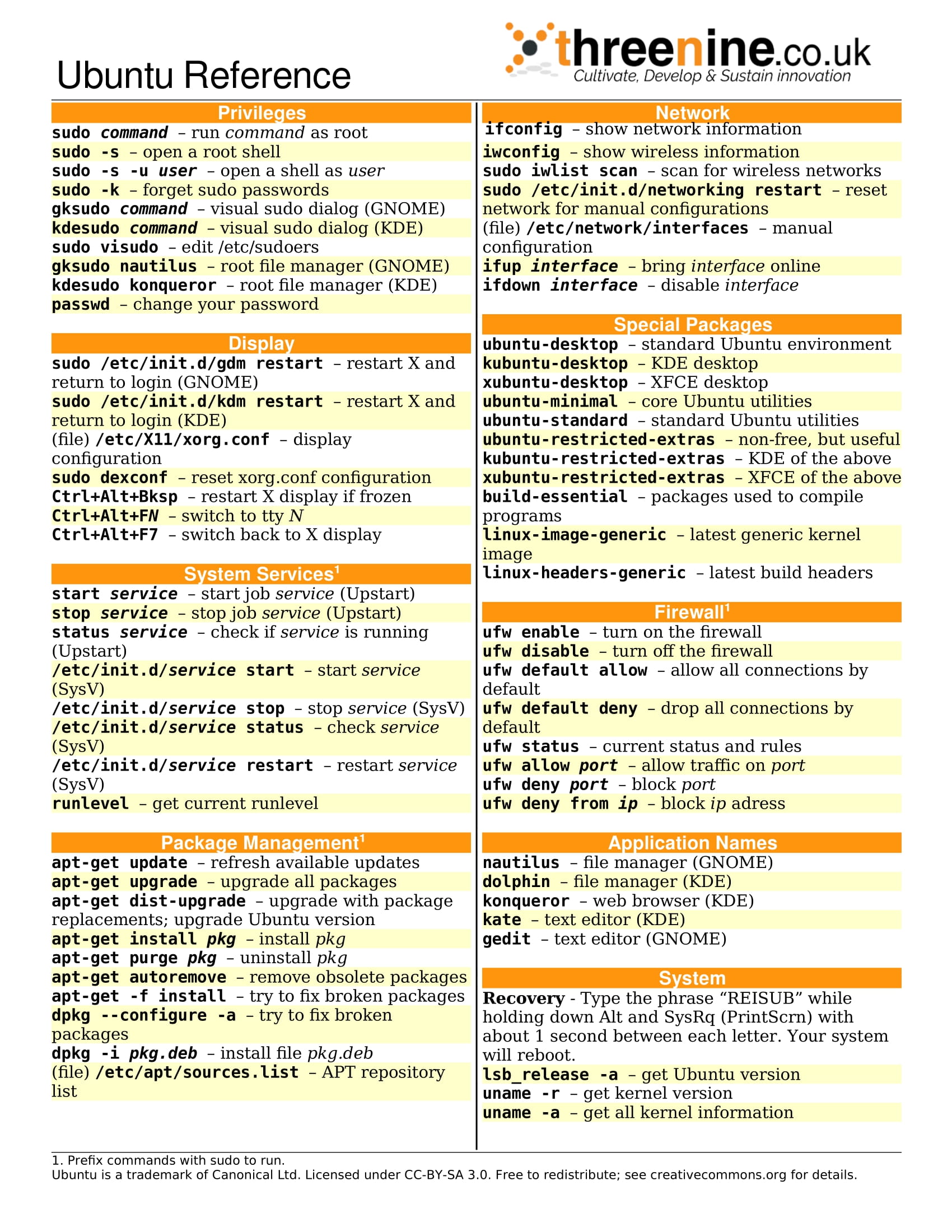
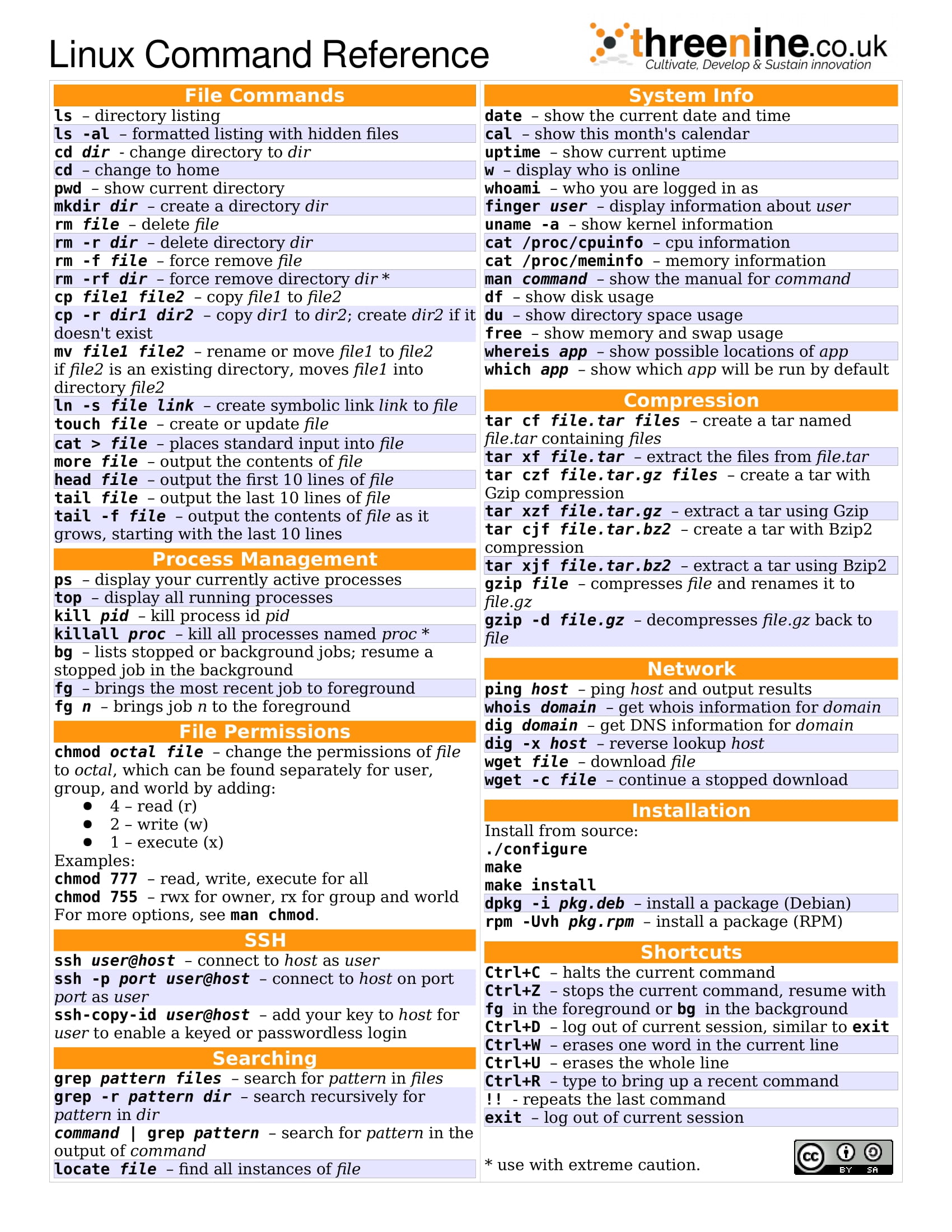
Managing Packages
Development platforms come with a package manager (eg: npm, yarn, pip), in ubuntu we also have a package manager called apt which is short for advanced package tool. apt is a command-line utility for installing, updating, removing, and otherwise managing packages on Ubuntu, Debian, and other related Debian-Based-Linux distributions.
For more information on teh Linux package manage. Check this out: CLICK HERE.
Linux File System
the file system includes files like:
- bin
- boot
- dev
- etc
- home
- root
- lib
- var
- proc
In linux just like windows, files and directories are organized an a tree in a hierarchical structure. In windows we have a structure like this with C: drive on top of the hierarchy then below that we have directories like program files, windows etc. In linux we have the root directory on top of the hierarchy followed by standard directories such as bin which includes binaries or programs we have boot which includes all the files related to booting then we have dev (short for devices).
In linux everything is a file including devices directories network sockets pipes and so on so the files that are needed to access devices are stored in this directory. Then we have etc (short for editable text configuration) so this is where we have configuration files. home is where home directories for users are stored so on a machine with multiple users. root which is the home directory of the root user. Only the root user can access this directory then we have lib which is used for keeping library files like software library dependencies. we have var (short for variable) and this is where we have files that are updated frequently like log files, application data etc. Finally we have proc which includes files that represent running processes.
In linux everything is a file like processes, devices, and even directories are files.
For more information: CLICK HERE